お問い合わせ

メールに添付されたファイルの受取り手順のご案内

弊社からお客様に送信する添付ファイル付きメールについては、誤送信防止・個人情報保護の観点から、ダウンロードURL形式で送信させていただいております。
添付ファイルの受け取り操作につきまして、以下の通りご案内いたします。

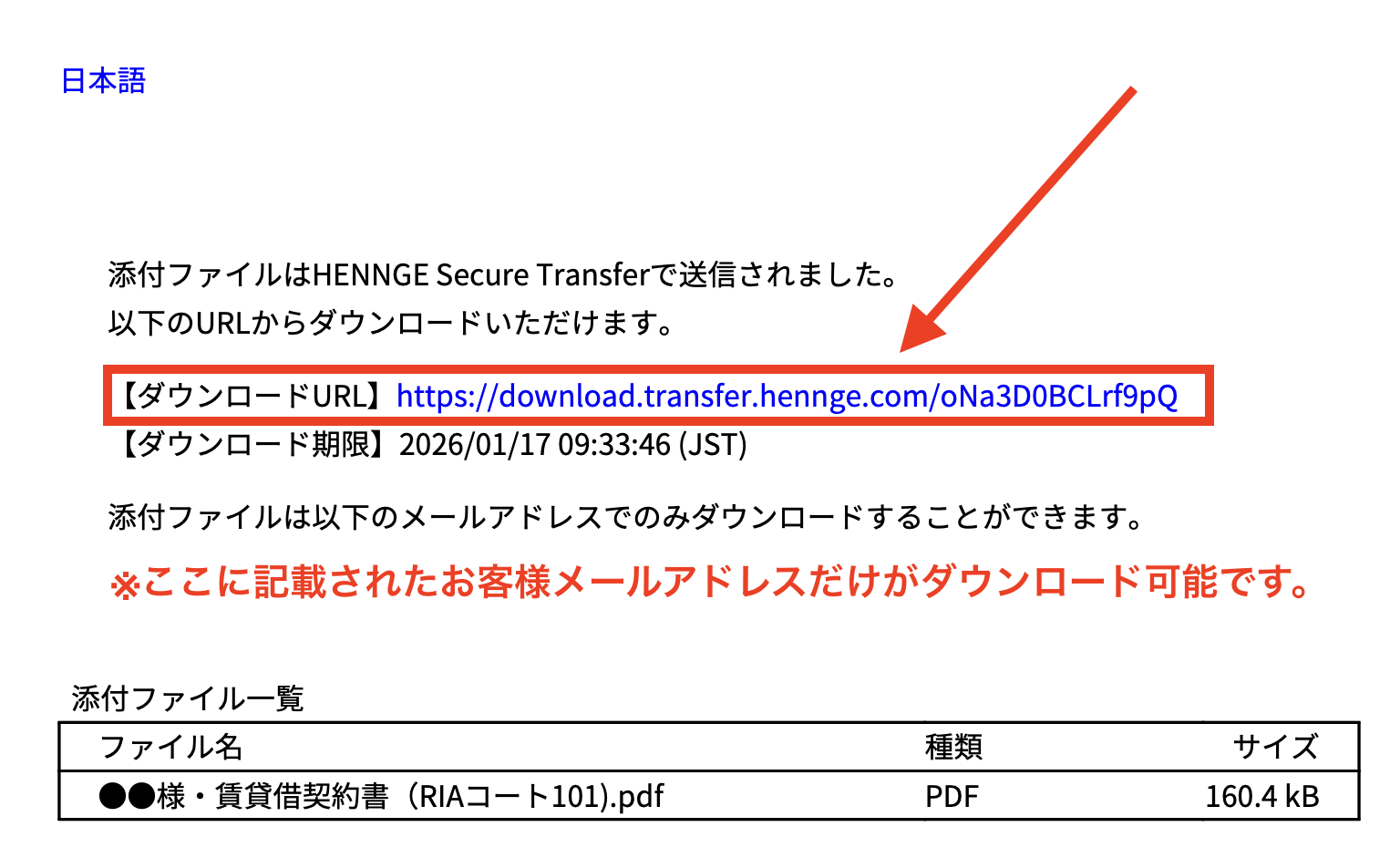
1.添付されたPDFを開く

お客様の受信メールに添付されたPDFファイル
(ファイル名:hennge_secure_download.pdf)
を開いてください。
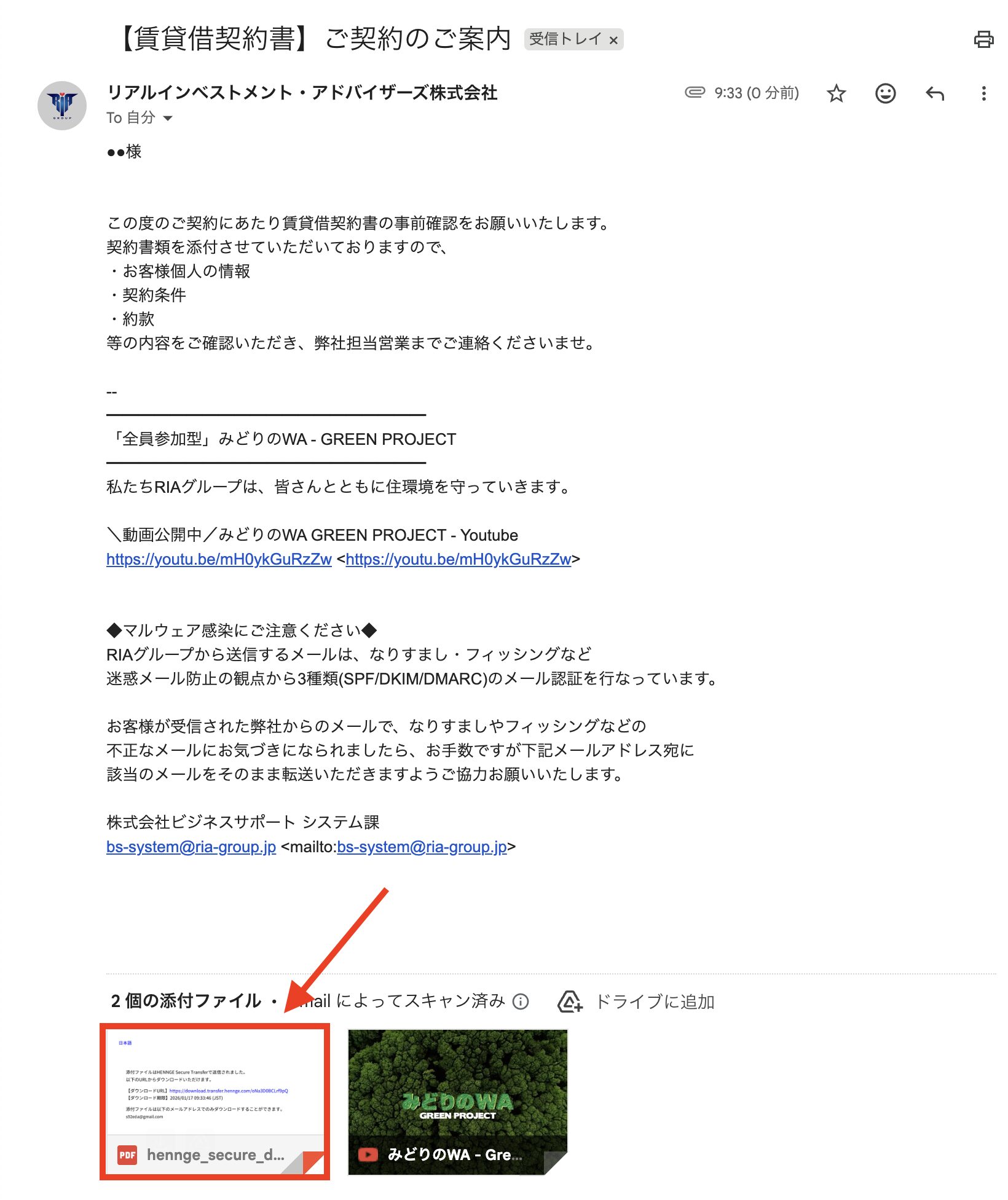
2.URLをクリック

PDF本文中にある、【ダウンロードURL】にアクセス

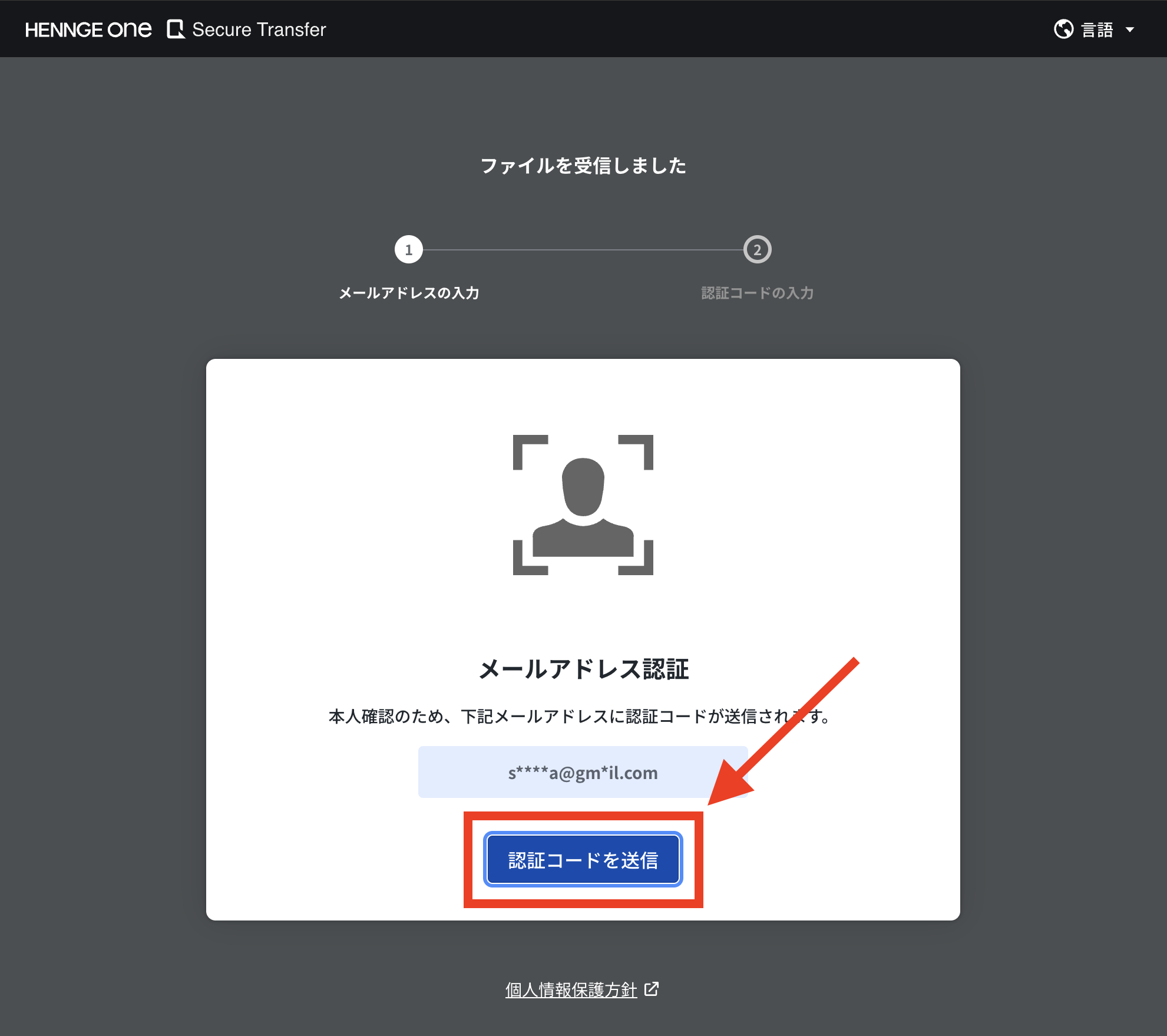
3.認証コードを送信

ご本人確認ページが開きますので、画面下部にある「認証コードを送信」ボタンをクリックしてください。
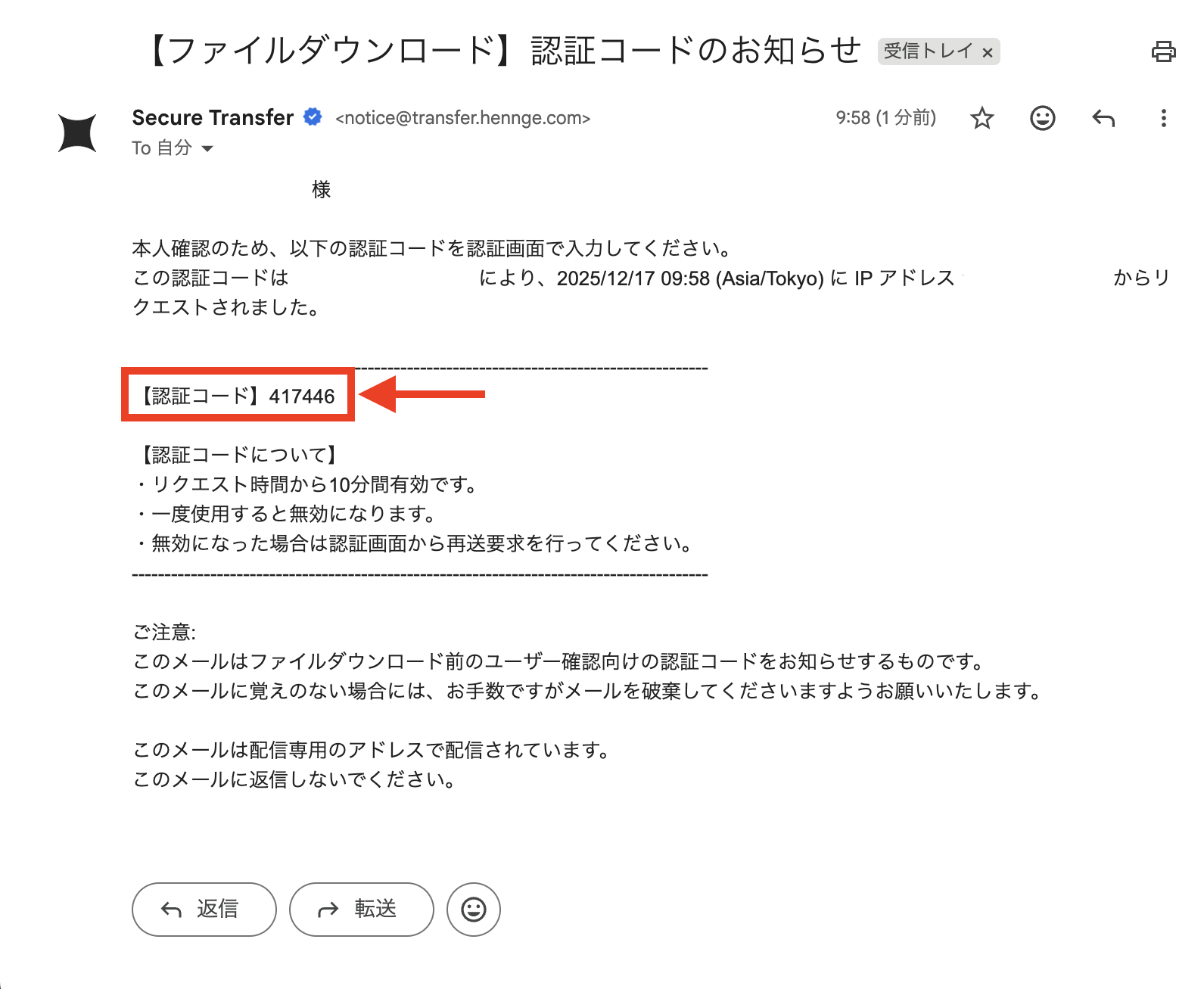
4.認証メールの受信

notice@transfer.hennge.comより、
【ファイルダウンロード】認証コードのお知らせ
のタイトルでメールが届きますので、開封して認証コードを受け取りしてください。

※ 通常、認証メールは数秒〜3分程度で配信されます。しばらく待っても配信されてこない場合はお客様の迷惑メールボックス内に紛れていないかご確認をお願いいたします。
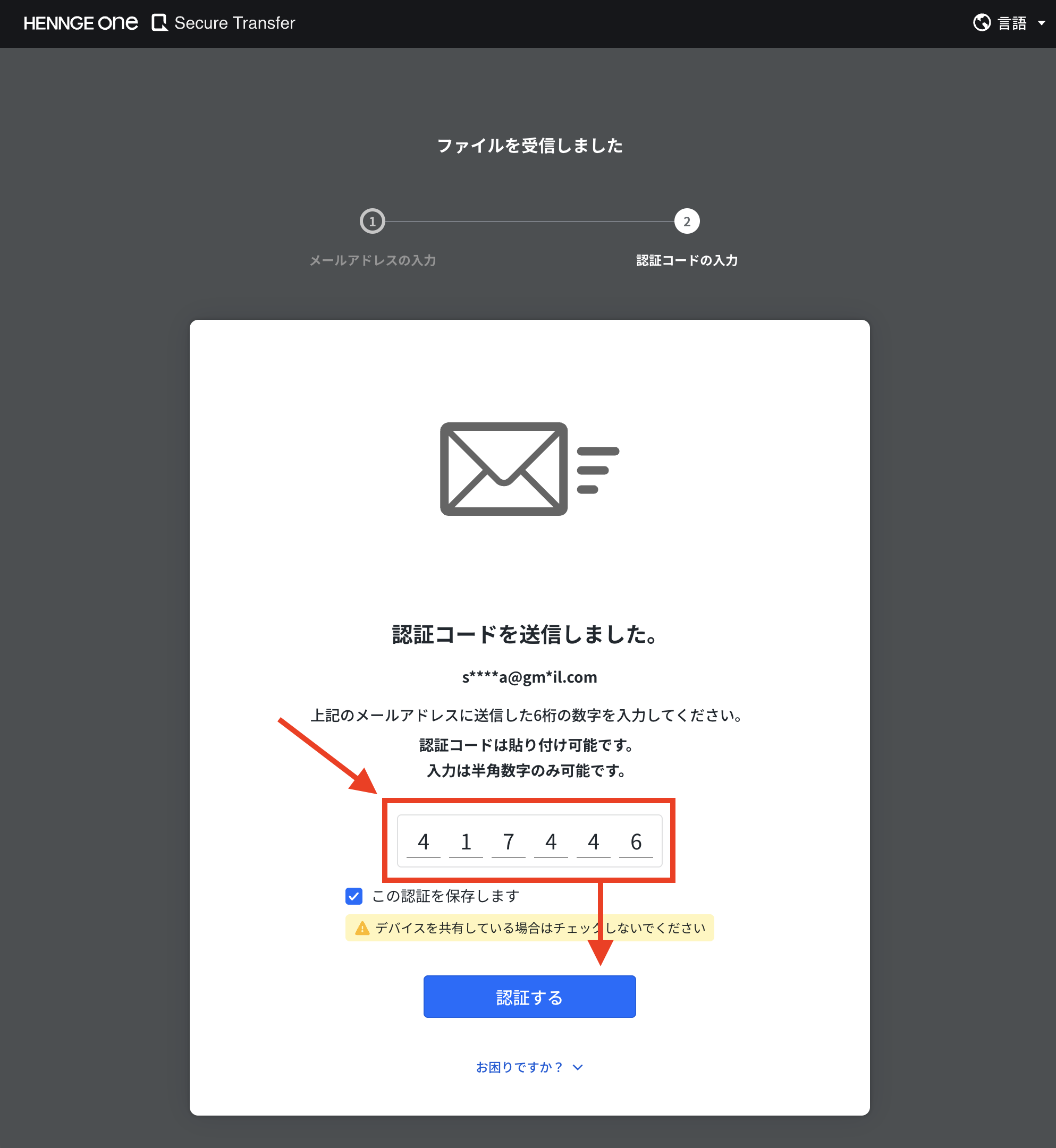
5.認証コードの入力・認証

4.で受け取った認証コードを認証画面のコード入力欄に入力し、認証するボタンを押してください。
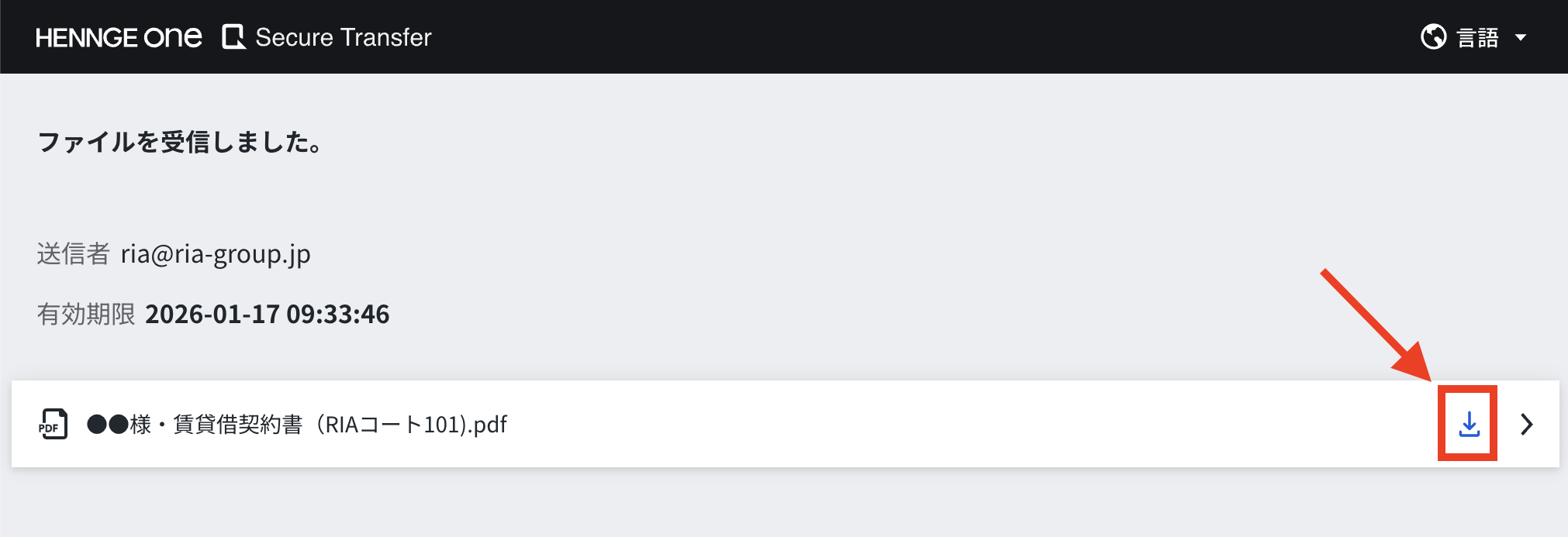
6.受け取り・ダウンロード

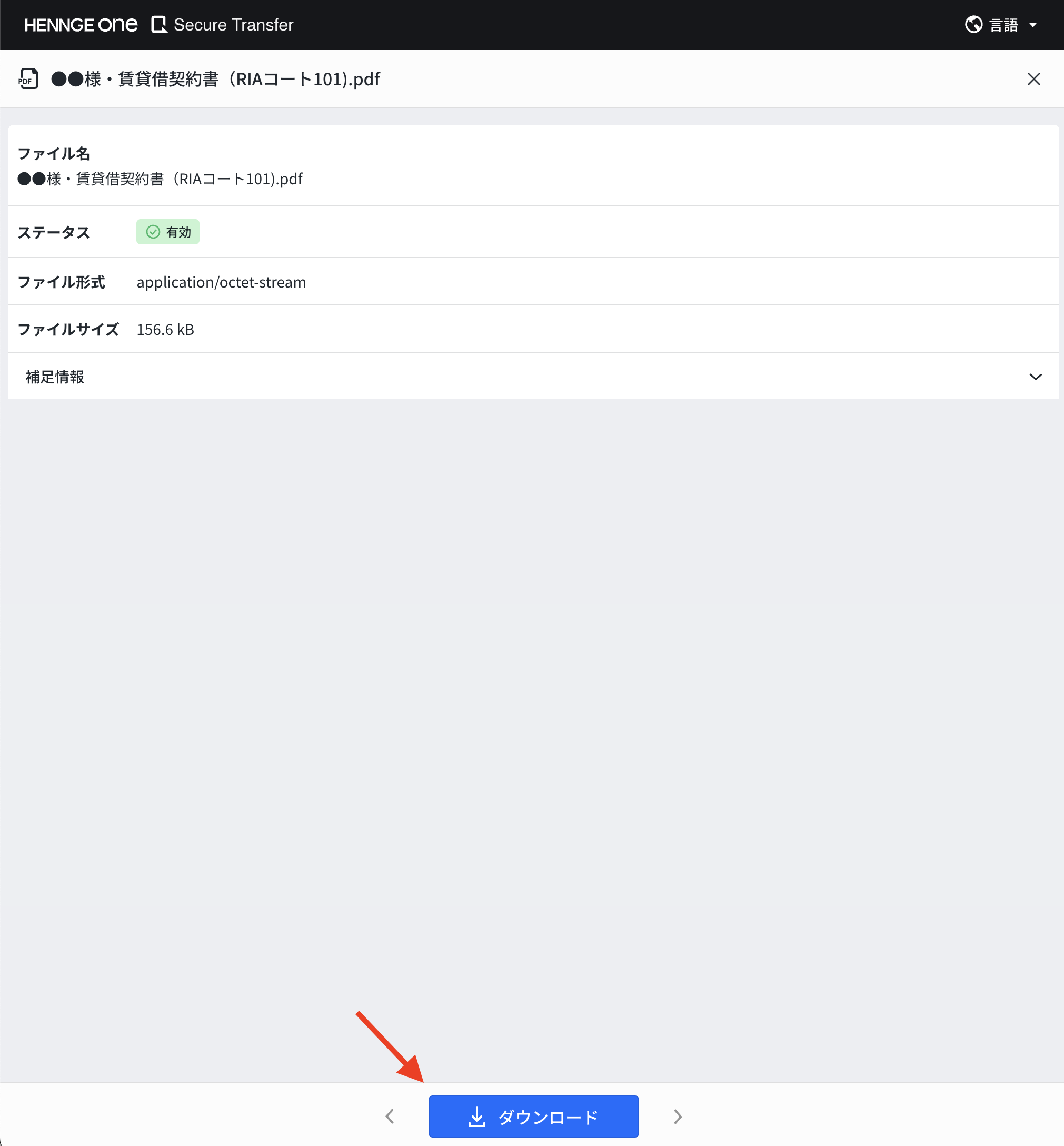
認証後ダウンロード画面が開きますので、表示されているダウンロードアイコンをクリックするか、ファイル詳細画面に表示されるダウンロードボタンをクリックして対象のファイルをダウンロードしてください。
Privacy Settings
We use cookies to enhance your experience while using our website. If you are using our Services via a browser you can restrict, block or remove cookies through your web browser settings. We also use content and scripts from third parties that may use tracking technologies. You can selectively provide your consent below to allow such third party embeds. For complete information about the cookies we use, data we collect and how we process them, please check our Privacy Policy
Youtube
Consent to display content from - Youtube
Vimeo
Consent to display content from - Vimeo
Google Maps
Consent to display content from - Google
Spotify
Consent to display content from - Spotify
Sound Cloud
Consent to display content from - Sound
Translate »